Mat3
Start free
Core features / Company access

Give your team the right access.

Use verified accounts, invite staff and assign project roles. Keep private documents available to the people working on that project.

  • Company owners and members
  • Reviewer, contributor and viewer project roles
  • Only the assigned reviewer issues a decision
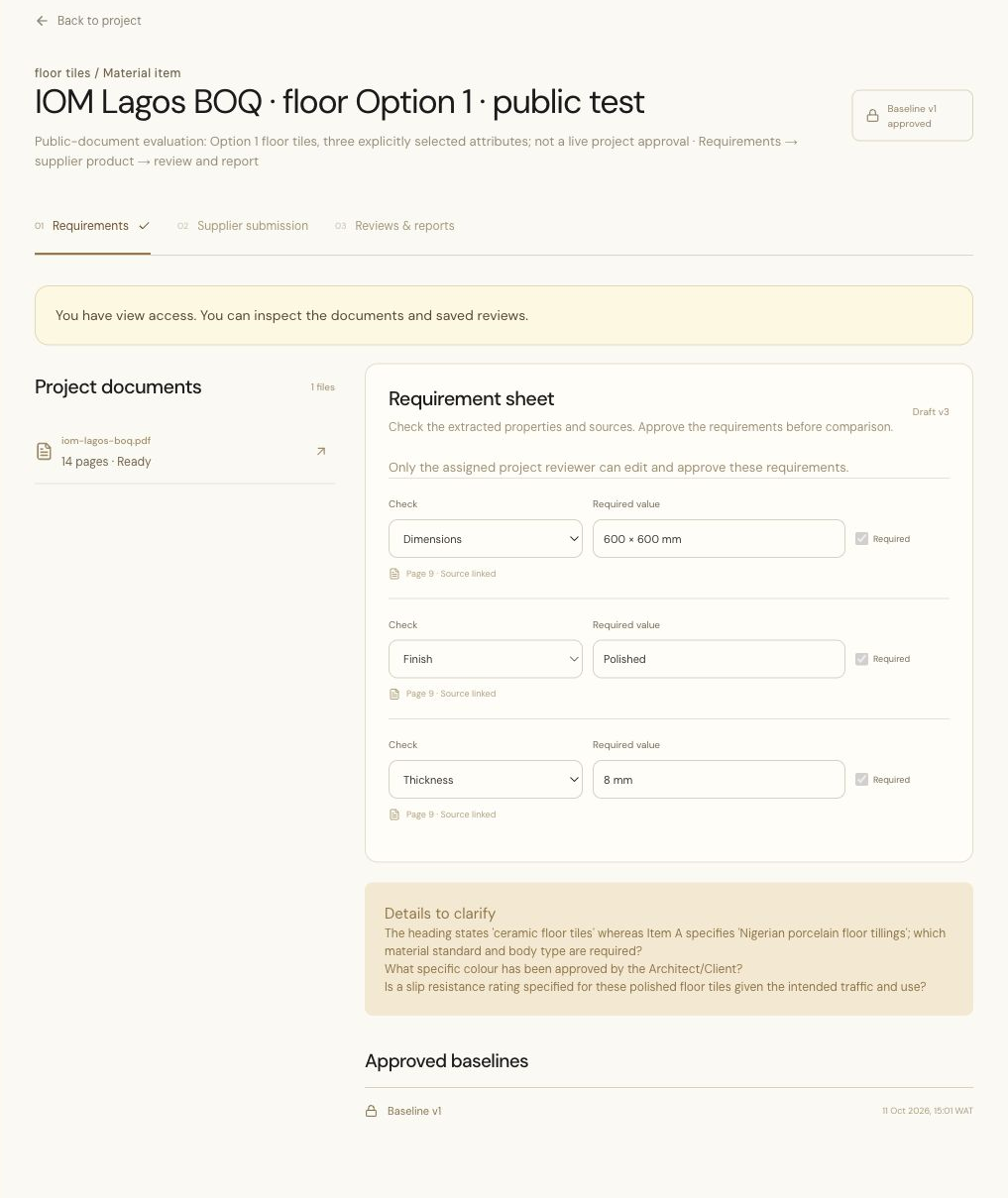
Actual hosted viewer test · private records readable, editing disabled

See it working

A completed test you can inspect.

Tested in the hosted Mat3 workspace
Run by the Mat3 team · no customer data

Input
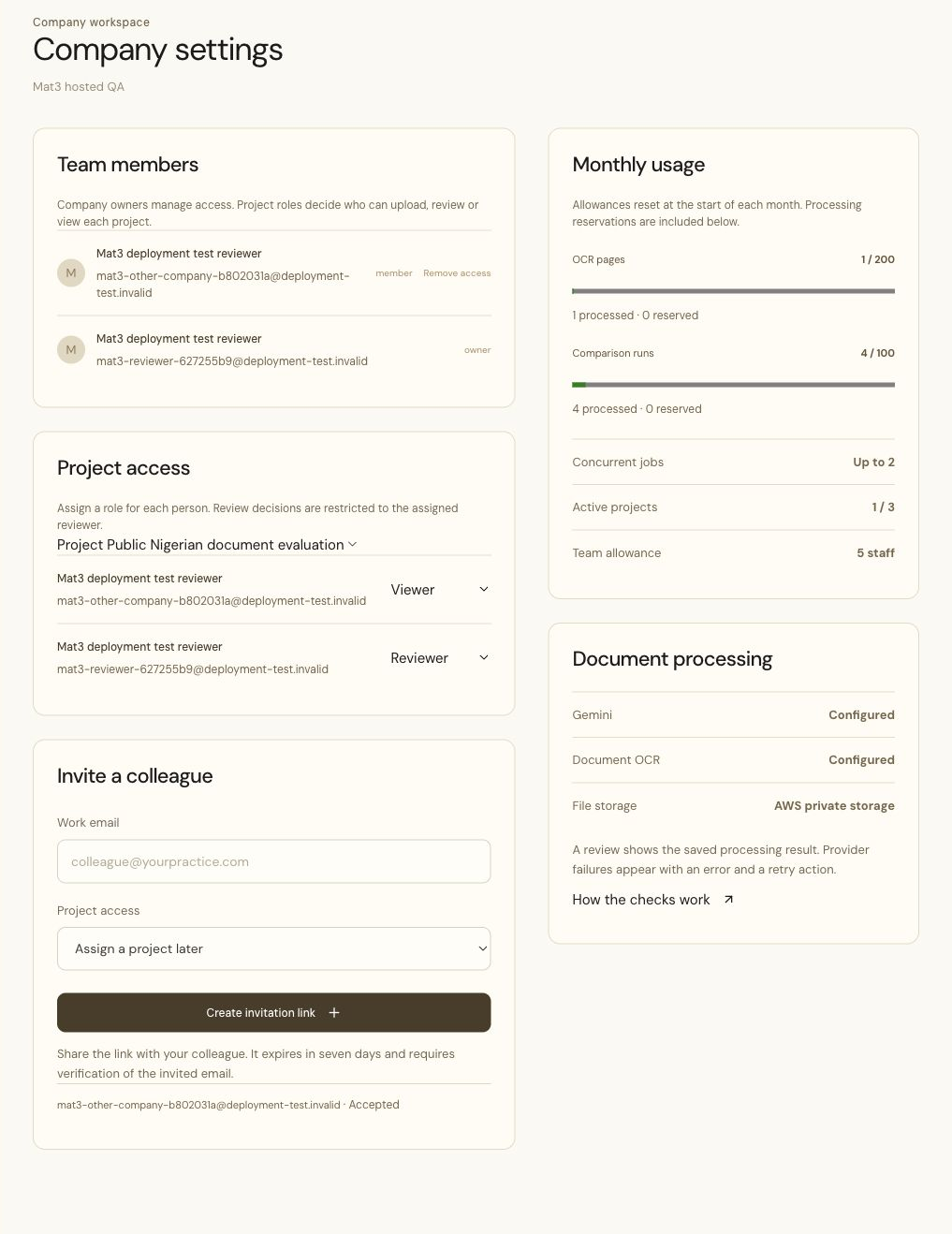
Two controlled, verified test identities in separate companies. A temporary email-bound invitation assigned one identity to the test project.
What we did
We tested the invited account as viewer, contributor and unassigned reviewer. We checked private file access, attempted restricted decisions and then removed the temporary company membership.
Saved result
The wrong email could not accept the invitation. Viewers could read but not write; contributors could upload but not decide. An unassigned reviewer could not decide. After removal, the account lost project access.

What the test confirmed

  • A different email cannot accept the invitation
  • The server blocks a viewer's write and decision actions
  • A contributor's actual document upload completes
  • The server blocks a contributor's final decision
  • A project reviewer cannot decide a review assigned to someone else
  • Another company cannot open the private project or file
  • A removed member cannot reopen the former project

Completed with published documents and controlled test accounts. These are product checks, not customer endorsements or certification of material quality. Get the public test documents.

How it works

Three steps to use it.

01

Create your company account

Verify your email and sign in.

02

Invite your team

Send an email-bound invitation link to the intended member.

03

Assign project roles

Choose who can contribute, review or view.

01

Keep responsibilities clear.

Company owners manage membership and project assignments. Contributors add documents, reviewers check requirements and assigned decisions, and viewers inspect their permitted project records.

  • Invitations are bound to a work email
  • Project access is explicitly assigned
  • Membership can be removed by an owner
Inspect this feature’s evidence
Actual tested role assignments · temporary membership removed after testing
02

Keep uploaded files private.

The server checks company and project access before returning documents, findings or reports. Original files are stored privately; a link does not make them publicly available.

  • Verified email for hosted accounts
  • Company boundaries enforced on the server
  • Public case-study documents kept separate
Inspect this feature’s evidence
Actual workspace · completed public-document paint review

Your questions

Good to know before you start.

Can another company see my documents?

Private workspace access is scoped to company membership and project permissions. The hosted checks confirmed that a second company account could not access the test company’s project.

What is included in the free pilot?

The starting pilot allows five staff, three active projects, 200 OCR pages and 100 analysis runs per month, with up to two concurrent jobs. Your company settings shows usage and allowances.

Bring your project documents.

Start with one requirement and one proposed product. Check the result with your reviewer.